a)Digits and letters occupy consecutive locations in the ASCII code, so two comparisons are enough to implement each of the three functions (Listing C.79).
Listing C.79ch9 / Ascii
public static boolean isDigit(char c) {
    return c >= 0x30 && c <= 0x39;
}
public static boolean isLower(char c) {
    return c >= 0x61 && c <= 0x7a;
}
public static boolean isUpper(char c) {
    return c >= 0x41 && c <= 0x5a;
}
b)To convert upper-case letters to lower-case, simply add the offset \(32\) (or 0x20); see Listing C.80.
Listing C.80ch9 / Ascii
public static char toLower(char c) {
    return isUpper(c) ? (char) (c + 0x20) : c;
}
public static char toUpper(char c) {
    return isLower(c) ? (char) (c - 0x20) : c;
}
Solution to Exercise 9.2
a)The encryptCaesar() function in Listing C.81 first converts upper- and lower-case letters to a number between
0 and 26, then cyclically shifts this number using the modulo operator, and finally converts the number back to an ASCII letter. By using a negative offset, the same method can also be used to decrypt letters.
Listing C.81ch9 / Ascii
// Implementation of the Caesar cipher for ASCII characters.
public static int encryptCaesar(char c, int offset) {
    if (isLower(c))
        return Math.floorMod(c - 0x61 + offset, 26) + 0x61;
    if (isUpper(c))
        return Math.floorMod(c - 0x41 + offset, 26) + 0x41;
    return c;
}
b)Because it can be cracked by simply trying all possible offsets. Here we used an offset of 13 which yields a cipher known as ROT13. This cipher is still widely used in Internet forums to obfuscate hints and spoilers. Since ROT13 shifts the Latin alphabet by half its length, encrypting and decrypting are the same operation.
Solution to Exercise 9.3
The following code represents “ABRACADABRA” using 13 bits:
.
symbol
A
BR
CA
DA
codeword
0
10
110
111
Solution to Exercise 9.4
The possible interpretations are, in alphabetical order: ABCCAAABBC, ABCCAAABBRA, ABCCADABC, ABCCADABRA, ABCRAAAABBC, ABCRAAAABBRA, ABCRAADABC, ABCRAADABRA, ABRACAAABBC, ABRACAAABBRA, ABRACADABC, ABRACADABRA, ABRARAAAABBC, ABRARAAAABBRA,
ABRARAADABC, ABRARAADABRA.
Solution to Exercise 9.5
The tree does not describe a prefix code since the codeword of A is a prefix of the codeword of R. As a result, the node for A appears as an inner node in the corresponding binary tree:
Solution to Exercise 9.6
Only the first code is a prefix code, whereas the second one is almost the opposite: Every codeword is a prefix of the one following it in the list. Nevertheless, both codes are unambiguous since every bit sequence produced by either code corresponds to a unique sequence of codewords.
Solution to Exercise 9.7
The createFromTable() method in Listing C.82 iterates over the table of codewords and inserts them one by one into a binary tree that is initially empty. Inserting into the tree is accomplished by insert(), which adds the codeword cw to an existing tree rooted at node. Since
the Node type is defined as a record and is therefore immutable, every insertion produces a new tree, which is returned by the function. The depth parameter tracks the current depth in the tree. If the depth equals the length of the codeword, a new
leaf node is constructed. Otherwise, insert() calls itself recursively to add the codeword into the left or right sub-tree of node, depending on whether the bit at
position depth is 0 or 1.
Listing C.82ch9 / PrefixCodeFromTable
private static final Node EMPTY = PrefixCode.makeInner(null, null);

// Construct a binary tree from a table of codewords.
public static Node createFromTable(Codeword[] codewords) {
    Node root = EMPTY;
    for (int symbol = 0; symbol < codewords.length; symbol++)
        root = insert(root, codewords[symbol], symbol, 0);
    return root;
}

// Insert a new codeword into an existing binary tree and return
// a new tree as the result.
private static Node insert(Node node, Codeword cw,
        int symbol, int depth) {
    if (depth == cw.length())
        return PrefixCode.makeLeaf(symbol);
    if (node == null)
        node = EMPTY;
    if (node.symbol() != -1)  // cannot insert into a leaf node
        throw new RuntimeException("Not a prefix code");
    if ((cw.bits() & (1L << (cw.length() - depth - 1))) == 0) {
        Node left = insert(node.left(), cw, symbol, depth + 1);
        return PrefixCode.makeInner(left, node.right());
    } else {
        Node right = insert(node.right(), cw, symbol, depth + 1);
        return PrefixCode.makeInner(node.left(), right);
    }
}
If we encounter a leaf node along the way, the table of codewords does not represent a prefix code. When inserting into a non-existent sub-tree, the line
if (node == null)
    node = EMPTY;
supplies an empty tree to insert into. This saves a few null checks in the lines that follow.
Solution to Exercise 9.8
The optimal prefix code for a single symbol consists of a single codeword of length 1. The corresponding Huffman tree has two nodes: a root node and one leaf. HuffmanTree can be modified by
adding the following two lines before line 5:
Solution to Exercise 9.9
The catch is that decoding the 1-bit encoding of ABRACADABRA isn’t possible without knowing the codebook. We have merely shifted the problem of compressing a sequence of bytes to the problem of compressing the codebook.
Solution to Exercise 9.10
In the second step of Huffman’s algorithm, there are three ways to choose two nodes with frequency \(2\), which gives us the three prefix trees shown in Fig. C.17; additional equivalent trees can be obtained
by exchanging the left and right sub-trees of each of the inner nodes. In total, there are \(3\times 16=48\) possible Huffman tree, all of which are equally good and encode ABRACADABRA using 23 bits.
Figure C.17 Different Huffman trees for the same frequency table.
Solution to Exercise 9.11
The worst case for Huffman’s algorithm occurs when, after combining two nodes, the new node is placed at the end of the priority queue, that is, if the cumulative frequency of the new node is less than or equal to the frequency of the next unprocessed symbol. In this case,
the Huffman tree degenerates into a long chain:
The nodes in this illustration show the smallest frequencies that produce a Huffman tree of height 64: The most frequent symbol would have to occur \(2^{63}\) times, which is never going to happen in practice.
Solution to Exercise 9.12
For ABRACADABRA, the Shannon-Fano algorithm constructs either one of the following two prefix codes:
There are two possibilities since the second split is either “B | R C D” or “B R | C D”. Both splits are equally good (or, rather, bad): one half contains two and the other four characters. There is an optimal split “B C | R D”, but the Shannon-Fano algorithm doesn’t find it. In this example, it doesn’t matter: Both
codes encode ABRACADABRA using 23 bits, just like the Huffman code.
Solution to Exercise 9.13
a)The sequence of calls should return the following values:
b)The outline of BitOutputStream is shown in Listing C.83. The class has three fields: out for the underlying byte stream, buffer for buffering unwritten bits, and
bufferSize for the number of bits in buffer.
Listing C.83ch9 / BitOutputStream
public class BitOutputStream {
    private final OutputStream out;  // byte stream for output
    private long buffer = 0;  // unwritten bits
    private int bufferSize = 0;  // number of bits in buffer

    public BitOutputStream(OutputStream out) {
        this.out = out;
    }

    // ...
}
The main work is done by the writeBits() method, which writes the lowest \(n\) bits of value to the wrapped output stream (Listing C.84). The statement bits &= -1L >>> (64 - n) isolates the lowest \(n\) bits. The flush() method writes all
remaining bits in the buffer to the output.
Listing C.84ch9 / BitOutputStream
// Write a single bit.
public void writeBit(long bits) throws IOException {
    writeBits(bits, 1);
}

// Write the n least significant bits.
public void writeBits(long bits, int n) throws IOException {
    assert n > 0 && n <= 56;
    bits &= -1L >>> (64 - n);
    buffer |= (bits << (64 - n - bufferSize));
    bufferSize += n;
    while (bufferSize >= 8) {
        out.write((int) (buffer >>> 56) & 0xff);
        buffer <<= 8;
        bufferSize -= 8;
    }
}

public void flush() throws IOException {
    if (bufferSize != 0)
        writeBits(0, 8 - bufferSize % 8);
}
c)The outline of BitInputStream is shown in Listing C.85. Bits that are read from input are buffered in the highest bits of the buffer field, and
bufferSize holds the number of bits in buffer.
Listing C.85ch9 / BitInputStream
// A class for treating an InputStream as a sequence of bits.
public class BitInputStream {
    protected InputStream input;  // byte stream for input
    private long buffer = 0;      // the next unread bits
    private int bufferSize = 0;   // number of bits in buffer

    public BitInputStream(InputStream input) throws IOException {
        this.input = input;
        fillBuffer();
    }
    // ...
}
The fillBuffer() method tries to read as many bytes as possible into the buffer (Listing C.86). As long as the buffer has space for another
byte (that is, if it contains \(56\) bits or less), it reads one byte from input and stores it at the appropriate position in buffer. When fillBuffer() encounters the end
of input, it doesn’t throw an exception but returns immediately.
Listing C.86ch9 / BitInputStream
// Read bytes from input and store them in buffer.
private void fillBuffer() throws IOException {
    while (bufferSize <= 56) {
        int nextByte = input.read();
        if (nextByte < 0)
            break;  // end of file
        buffer |= (long) nextByte << (56 - bufferSize);
        bufferSize += 8;
    }
}
The readBits() shown in Listing C.87 first calls fillBuffer() to ensure that the buffer contains at least the requested number of bits and then extracts the highest bitCount bits from buffer and returns them to the caller. Only up to 56 bits can be read in a single call to readBits() because that’s the number of bits that are guaranteed to be available in buffer. (It wouldn’t be hard to modify readBits() to return up to 64 bits, but we optimize for short bit sequences because they are much more common when when working with compressed data.)
Listing C.87ch9 / BitInputStream
// Read a single bit.
public long readBit() throws IOException {
    return readBits(1);
}

// Read multiple bits.
public long readBits(int n) throws IOException {
    assert n > 0 && n <= 56;
    if (bufferSize < n) {
        fillBuffer();
        if (bufferSize < n)
            throw new IOException("End of stream");
    }
    long result = buffer >>> (64 - n);
    buffer <<= n;
    bufferSize -= n;
    return result;
}
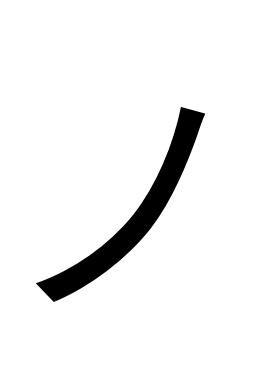
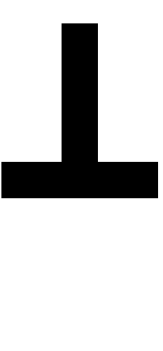
a)The first six symbols come from Japanese, Indian, and Chinese scripts, the last three symbols are from a subset of Unicode symbols for drawing boxes. Here are the names of the symbols:
.
Symbol
Code point
Name
0x30ce
KATAKANA LETTER NO
0xca0
KANNADA LETTER TTHA
0x76ca
CJK UNIFIED IDEOGRAPH-76CA
0x5f61
CJK UNIFIED IDEOGRAPH-5F61
0x253b
BOX DRAWINGS HEAVY UP AND HORIZONTAL
0x2501
BOX DRAWINGS HEAVY HORIZONTAL
b)The code point 0x1F602 falls in the fourth range and is therefore encoded using four bytes. The binary representation of 0x1F602 is 0b11111011000000010, so the byte sequence becomes
11110000 10011111 10011000 10000010
or, written using hexadecimal numbers, 0xf0 0x9f 0x98 0x82.
c)Yes, UTF-8 is a prefix code. The most significant bits in the first byte are chosen in such a way that no codeword can be a prefix of a longer codeword. The corresponding binary tree is outlined in Fig. C.18.
Figure C.18 The tree structure of UTF-8.
d)The encode() function in Listing C.88 takes a Unicode code point and writes its UTF-8 encoding to out. The UTF-8 encoding of the table-flip emoticon is
a)The implementation of writeBCD() is shown in Listing C.89. If the total number of digits is odd, we include the 4-bit sequence
1111 in the final byte.
Listing C.89ch9 / DecimalCoder
public static void writeBCD(
        int[] digits, int n, OutputStream out)
        throws IOException {
    for (int i = 0; i < n; i += 2) {
        int d0 = digits[i];
        int d1 = (i + 1 < n) ? digits[i + 1] : 0b1111;
        out.write(d0 << 4 | d1);
    }
}
When reading BCDs, every byte in the input produces two digits, except for the last byte, which produces only one digit if n is odd (Listing C.90). The main complication compared to writing BCDs is the added error
handling if either the stream ends prematurely or if an invalid codeword is encountered.
Listing C.90ch9 / DecimalCoder
static void readBCD(InputStream in, int n, int[] result)
        throws IOException {
    for (int i = 0; i < n; ) {
        int b = in.read();
        if (b == -1)
            throw new IOException("Unexpected end of file");
        int d0 = (b >>> 4) & 0xf;
        int d1 = b & 0xf;
        if (d0 >= 10 || (d1 >= 10 && i + 1 < n))
            throw new IOException("Invalid digit in BCD");
        result[i++] = (byte) d0;
        if (i < n)
            result[i++] = (byte) d1;
    }
}
b)Here is one possible Huffman code for the ten decimal digits:
.
symbol
0
1
2
3
4
5
6
7
8
9
codeword
000
001
0100
0101
0110
0111
100
101
110
111
This code requires \(3.4\) bits per digit.
c)If the length of digits[] is not a multiple of \(3\), we add one or two zeros (Listing C.91). It is possible to encode triplets of decimal digits in 10 bits without the use of multiplications, which is especially
useful for hardware implementations. Two such encodings are the Chen-Ho encoding[23] and the densely packed decimal encoding [26].
Listing C.91ch9 / DecimalCoder
public static void writeDeclets(
        int[] digits, int n, BitOutputStream out)
        throws IOException {
    for (int i = 0; i < n; i += 3) {
        int d0 = digits[i];
        int d1 = (i + 1 < n) ? digits[i + 1] : 0;
        int d2 = (i + 2 < n) ? digits[i + 2] : 0;
        out.writeBits(d0 * 100 + d1 * 10 + d2, 10);
    }
}